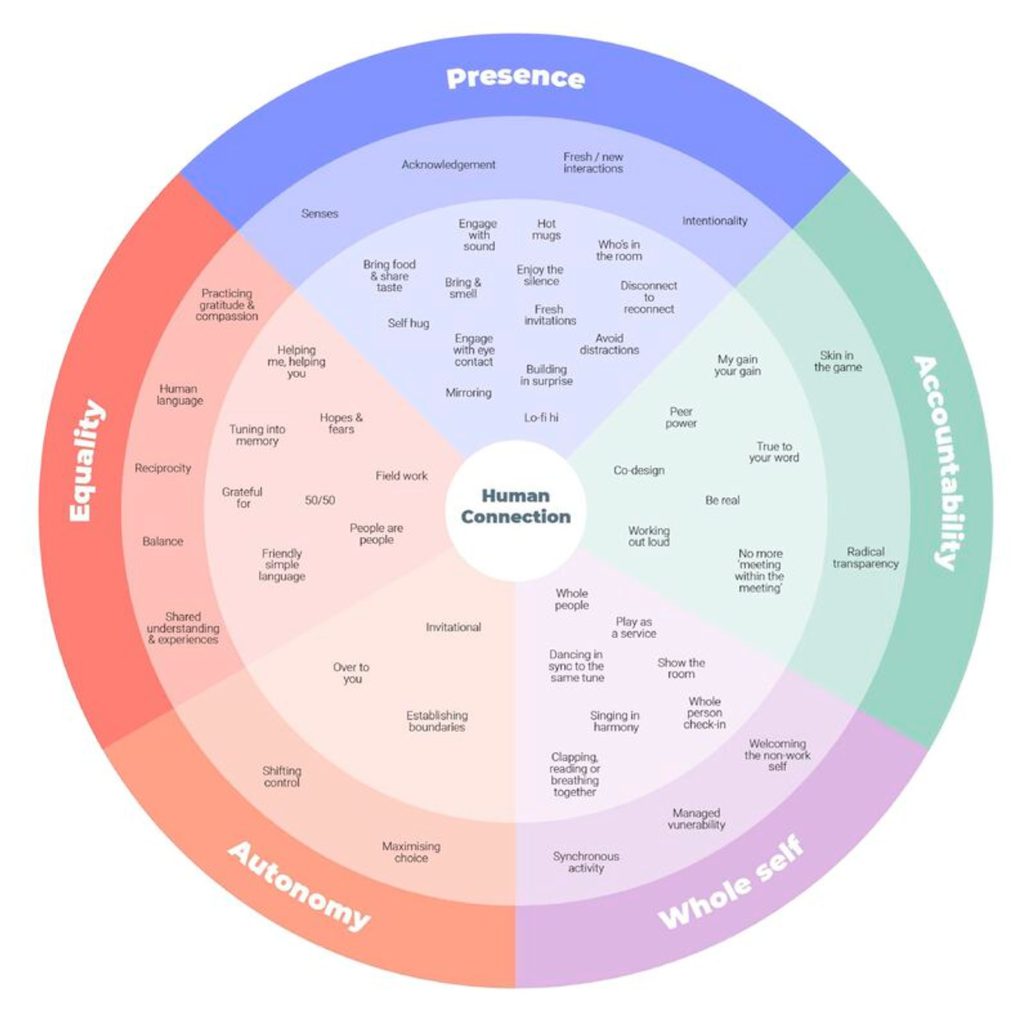
How To Create Human Connection Toolkit (framework + method cards (e-mail required), a helpful tool with methods and conditions to create authentic, strong and lasting human connection. Useful for team workflows and customer experiences, but also for any digital experiences.
A helpful overview with things that we as humans care about, and things that we need to support and enable as designers to make sure that our customers feel respected, valued and understood. In the end, it all boils down to Presence, Accountability, Whole self, Autonomy and Equality.
Kindly shared by Rosie Sherry and discovered via Baiba Matisone.
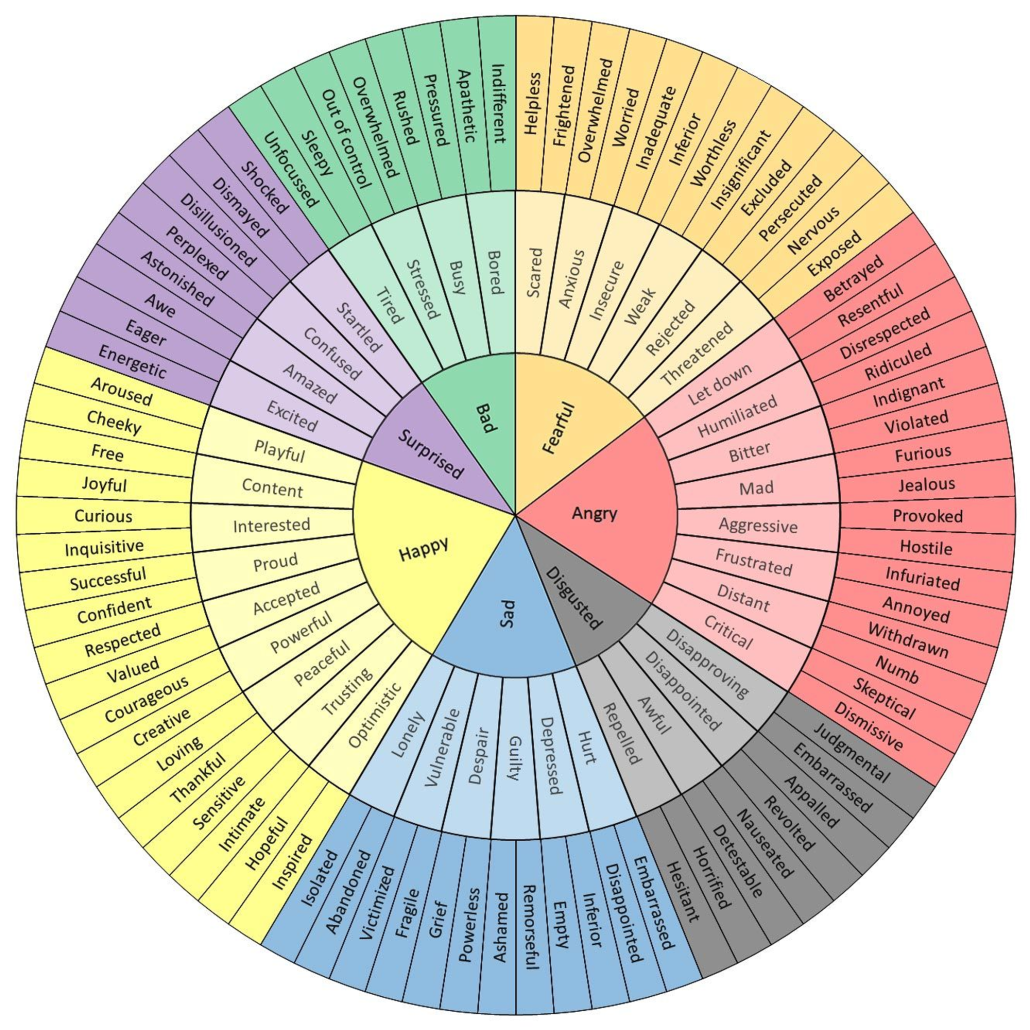
 The Emotion Wheel (https://imgur.com/tCWChf6), a helpful little tool to better describe a range of positive and negative emotions and experiences, and communicate better. Useful for copywriting, user interviews, design reviews — and pretty much any other situation where you want to describe and understand user’s emotions. Kindly put together by Geoffrey Roberts. Discovered via Samantha Leal.
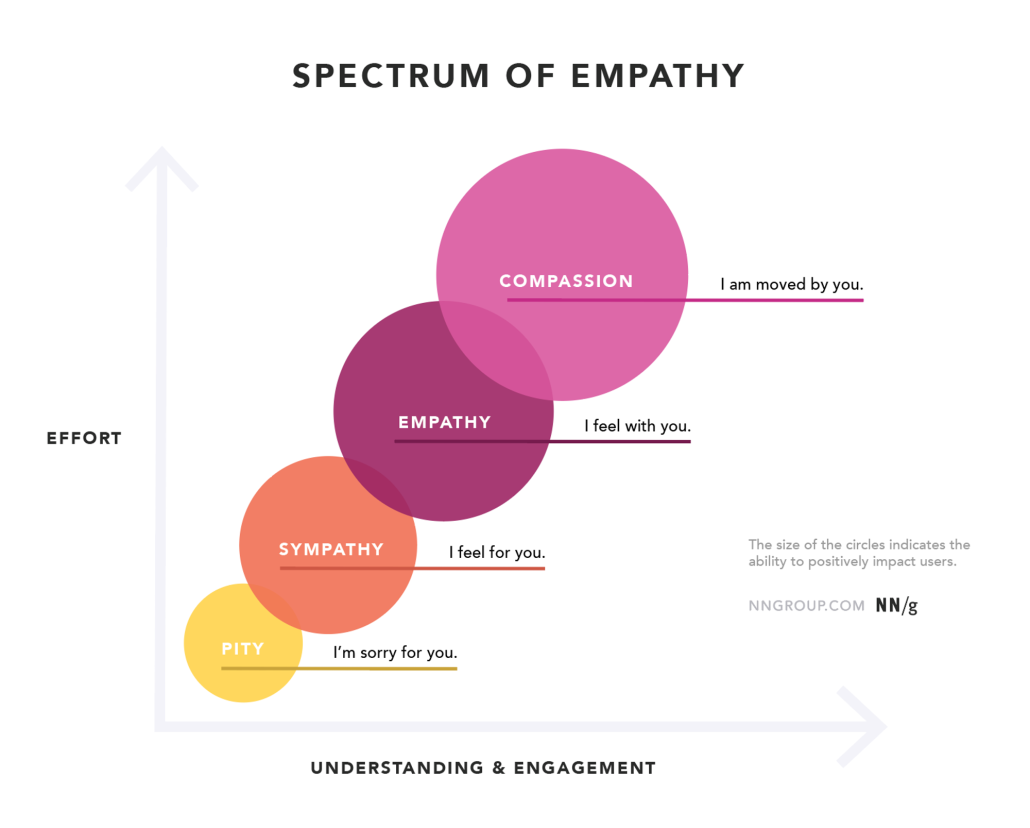
The Spectrum of Empathy in UX, an interesting overview of how sympathy and empathy are different: while sympathy is often the reaction, empathy is the ability to fully understand, mirror and share another person’s expressions, needs and motivations. A lovely write-up by Sarah Gibbons.
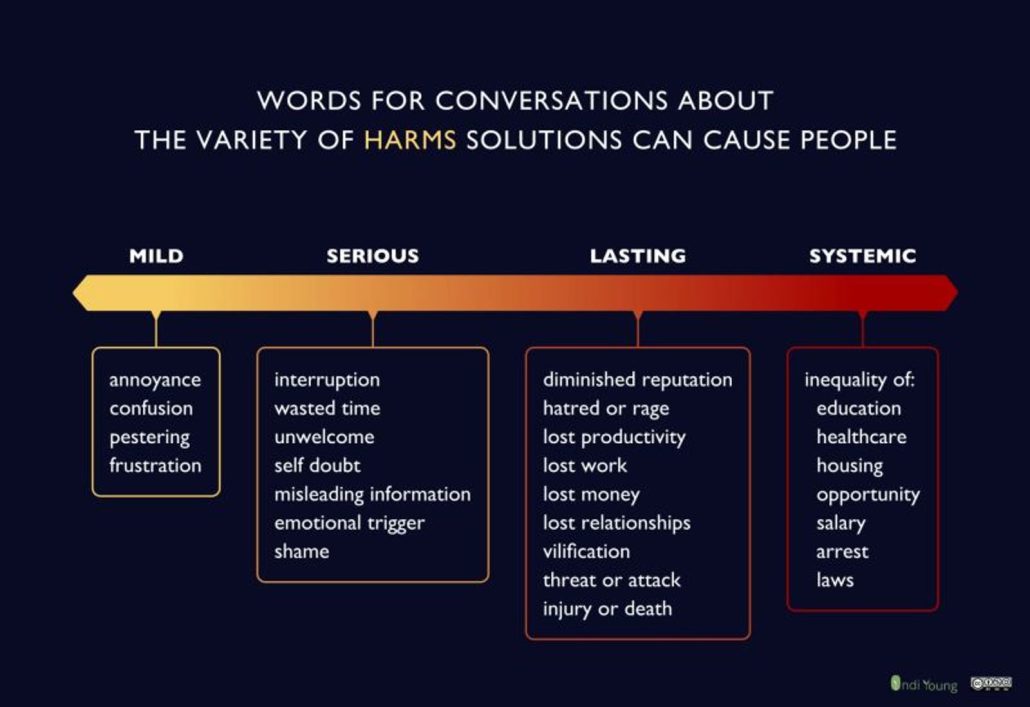
Scale of Negative UX Impact, a wonderful overview by Indi Young of the various levels of negative impact that our solutions can cause to our customers. The harm can be mild (annoyance), serious (wasted time), lasting (diminished reputation) or systemic (opportunity). A great helper to have better conversations about the impact of our decisions!
One of the workshops we conduct to better assess the impact of design in real life is an “everything-will-go-wrong” session. There, we explore unfortunate events, failures and accidental issues to test how resilient our UX actually is.
Ultimately, the goal is to always provide a way out — e.g. by allowing users to explain in a text box why some documents are missing, or override live validation with their custom input.
There, finding clear words for the state of the customer at any given point is very helpful. Another tool we use is Emotional Word Wheel to capture the right emotional state and understand just how impactful that is.
A helpful resource by Indi Young