News

The Fold Exists, But It Doesn’t Matter

The Fold Exists, But It Doesn’t Matter, a good reminder that 66% of attention happens below the fold, people do know how to scroll, and good interaction design is all about managing attention. Length is not the problem — lack of rhythm is.

“Scrolling is an inattentive act. Scanning is partial attention. Reading is focused attention. A screen without intentional rhythm will lose attention as it is being scanned. One with controlled rhythm will not only retain attention, it will deepen it.”

A great reminder by Christopher Butler.
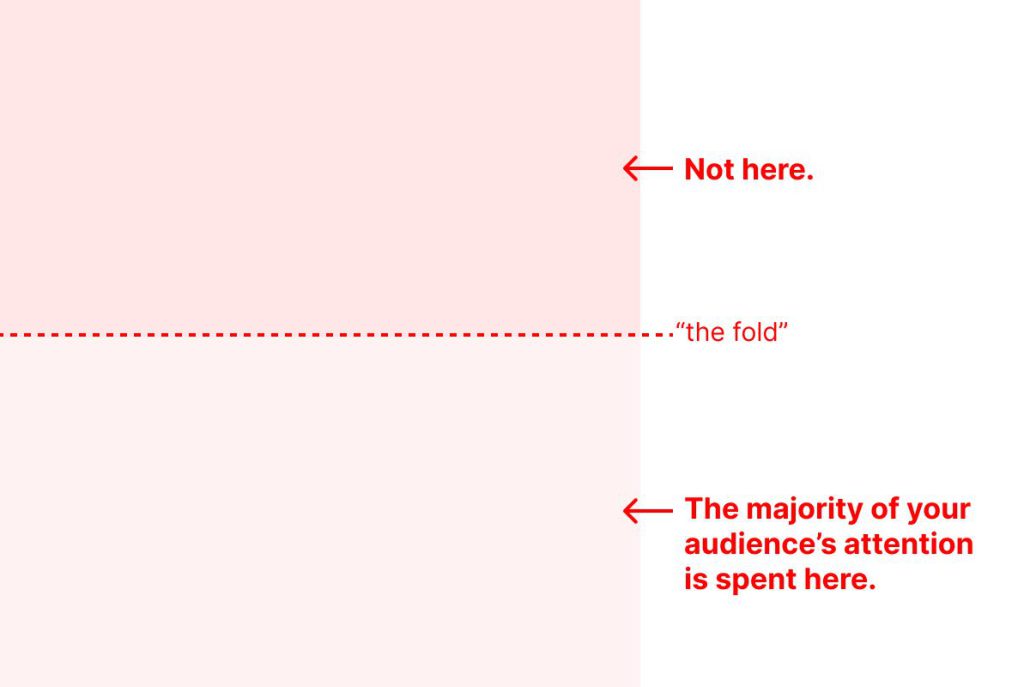
So, a few simple tips:

  • First, remember that scanning is a reaction; reading is a choice. The majority of people who look at your screens will never read their contents.
  • Anchor your most important information in a consistent place. For example, since most text is left-aligned, consider maintaining a left-alignment of text (with imagery floating right) so that a user can more quickly process that information by maintaining their scan on a single axis.
  • Repetition is information. Repetition of smaller structures and arrangements helps a scanner understand the larger structure of your screen’s contents. Being able to immediately identify a list, for example, helps a scanner understand how some content supports other content as well as recognize potential choices and actions available to them.
  • Empty space is not neutral. Intentional use of space enables scanners to quickly identify clusters of related information, as well as gives a scanner the ability to process the information they see. The less empty space a screen has, the greater its information density. The greater a screen’s information density, the less porous it is to attention and understanding.

Each of these tips has two important things in common.

The first is that they all relate to structure. These ideas will help the choices you make for where to put information lead to a greater ease in engaging with it. The second thing they have in common is that, when they work together, they create the rhythm of your screen.

Length is not the problem; lack of rhythm is.

Your screen can be as “long” as it needs to be. Length is not the problem; lack of rhythm is. When you establish a structure, you can imbue that structure with rhythm. The rhythm of a structure is defined by the repetition of arrangements and the spaces between them.

A screen without intentional rhythm will lose attention as it is being scanned. One with controlled rhythm will not only retain attention, it will deepen it.


The Easiest Way to Update Your Documents

(1) Go to Media (by clicking Media on the menu) and then (2) search for the name

Temp Pages and Permalinks

Utilizing the drafts feature should prevent any need for creating place holder p

Tools for Getting your Message Out

There is a lot of conflicting information making the rounds on what can and can&

School Website Checklist

Validation Checklist

Validating a website is the process of ensuring that the pages on the website co

Replacing Files

Our wordpress installations come with many custom features, one of which include

CAPS and Underlines

ON THE INTERNET, ALL CAPS IS CONSIDERED “YELLING”.

Website Checklist – Summer

Tips and HowTos

Social Media Image Size Cheat Sheet

Social media image size cheat sheet Throughout this post, you’ll find the size a

How to Link to a PDF from a Post or Page

Go to Media…..add new Click Select Files and navigate to the PDF file or d

Limit PDF Usage

PDFs have allowed people to collaborate and share ideas across devices since 199

Social Media Statistics

Fun Facts: Your tweets have a 12x higher chance of being retweeted if you ask fo

Become a Great Social Media Manager

Social Media Basics

X

Acrobat

Social Media Checklist – X

How to set a PDF form to SAVE the Information that Someone Enters

The tricky tricky thing that gives people the most trouble by far with Acrobat h

How to get More Followers on Social Media

Social Media Overview

First Things First Know your visitor. The obvious choice of social network is th

X Image Sizes

Social media platforms are constantly evolving their algorithms and interfaces.

Turn off X Autoposting to Facebook

If you use a Twitter account and a Facebook page, you can connect Twitter to the

Using Hashtags

By cleverly targeting certain hashtags you’ll be more likely to start conversati

Getting Started with X

Your school likely already has a twitter account. Please do not register multipl

Embedding PDF Files

Click to View Examples of the Different Layouts   Full Window <div id="a

How to Convert a Word/Excel Form into a Fillable PDF Form

How to Convert an Existing PDF Form into a Fillable PDF Form

Acrobat

EventOn Calendar

Social Media Checklist – Facebook

Make sure your facebook page is in tip-top shape for the coming school year!

Calendar Layouts

Calendar View Examples for displaying calendar Calendar Demo ADVANCED Shortcodes

Facebook

Getting Started – Important

The first step is to get access to your school’s page. ALL SCHOOL FACEBOOK

Turn off Facebook Autoposting to Twitter

Turn off automatic Twitter posting by unlinking the two accounts. You can also r

How to Find Your Social Media Story

Chat Icon Close Icon